The 21€ Scaling Startup Stack

The SaaS Trap
The founder community is running hot with the latest SaaS tools to use for your startup. Which free tools are available and get the work done quickly? How to stay lean and avoid the hated corporate overhead? Can you maybe apply for some startup credits?
This is all well and good, but what about scalability? The free tool you are using will eventually not suffice, either because you require more seats, more throughput, or more features. The credits? Will run out quicker than you can imagine and then what? You could figure it out later, but probably you will be really busy managing a scaling startup. We will just switch the tool before the bill comes in you say? Really? You gonna switch tools and break workflows in the moment the organization is under the highest stress? Okay, okay, we will just eat the bill. Fair point! But only if you are VC backed or can afford growth at all cost. If you are bootstrapped maybe at this point you want to revise the break-even calculations.
Self-Hosting Your Startup Infrastructure
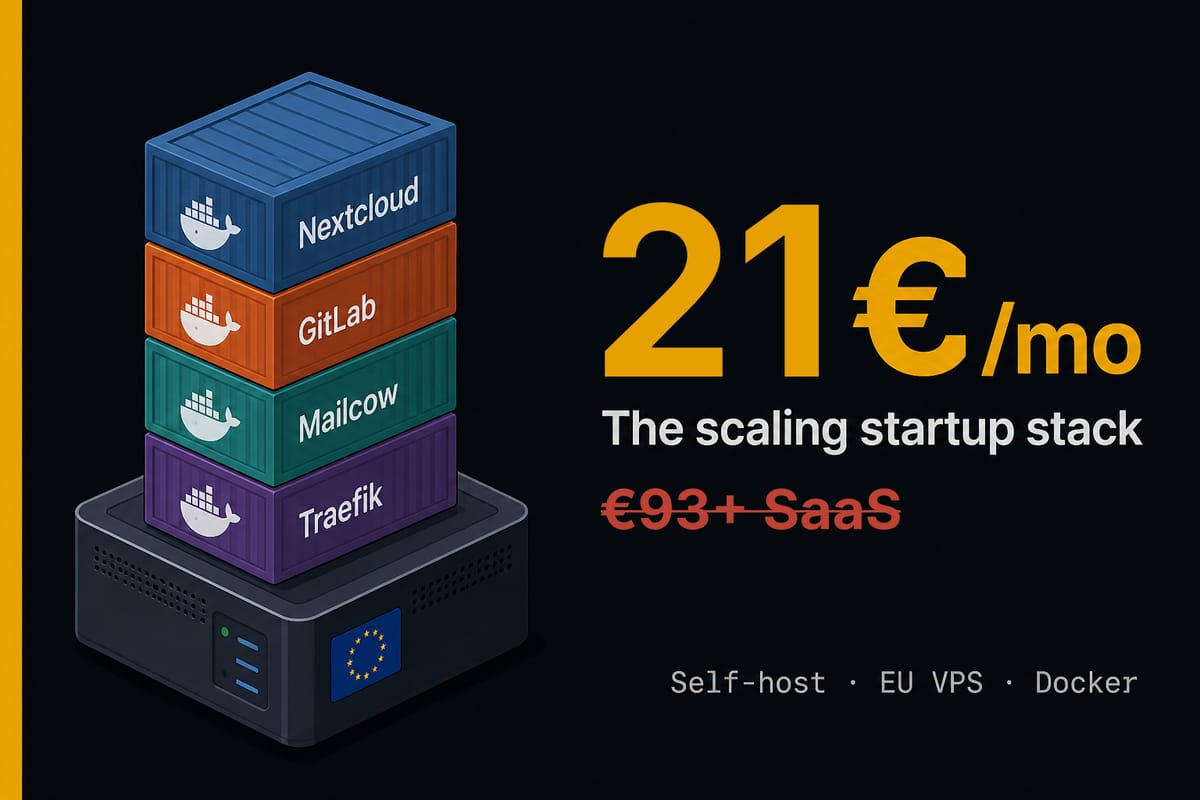
But it does not have to go this way. If you or your co-founder are slightly technical you can host your own scaling infrastructure stack for 21€/month and see that revenue translate into profit as you planned to. Now I'll be honest it is not the right thing to do for everyone and in every situation. If you have no experience whatsoever with the command line, this is probably not for you. If you need your product on the market yesterday and cannot afford to invest a couple of days in building your infrastructure this is not for you. If you don't plan to grow your team at any point, this is not for you. In any other case I would strongly recommend you to continue reading because you will save some money and build an organization that works more efficiently than most other companies.
My idea was always to ensure that our startup runs as frictionless as possible. That ideas float freely and collaboration is natural. Fragmented infrastructure and numerous different platforms with clustered teams and collaboration tools that do not integrate and require to manage several accounts per person are diametrically opposed to building such an organization. So my belief is that hosting your own infrastructure will not only help you to save money, but also to build a more efficient company and I will share my approach for the PoolThis AB infrastructure with you. Just remember there is not a one-fits-all, but pick according to your needs.
The Stack
| Tool | Use Case | Memory | CPU | Storage | Category |
|---|---|---|---|---|---|
| Portainer CE | Container Management Platform | ~0.2 GB RAM | ~0.2 vCPU | ~2 GB[[1]] | Recommended |
| Nextcloud AIO | Collaboration Platform | 3 GB | 2 vCPU | 40 GB[[2]] | Essential |
| Nextcloud ClamAV | Virus scan files in Nextcloud | 1 GB | – | – | Recommended |
| Nextcloud Talk Recording | Record nextcloud video calls | 1 GB | 2 vCPUs | – | Optional |
| Nextcloud Fulltextsearch | Search across documents on nextcloud | 1 GB | – | – | Optional |
| Traefik | Reverse Proxy | 100 MB | ~0.3 vCPUs | ~1 GB[[3]] | Essential |
| Mailcow | E-Mail Server | 7 GB | 2 vCPUs[[4]] | 30 GB[[5]] | Essential |
| Gitlab CE | Code management | 8 GB | 8vCPUs | 65 GB [[6]] | Essential |
| Gitlab Runner | CI/CD functionality | 1 GB | 1vCPUs[[7]] | ~10 GB | Recommended |
| Penpot | Design & Mockup | 2 GB | 1 vCPU | 10 GB[[8]] | Optional |
| Vaultwarden | Password Management | 1 GB | 2 vCPUs | ~2 GB [[9]] | Optional |
| Uptime Kuma | Application Monitoring | 256 MB | 1 vCPU | ~175 MB[[10]] | Optional |
| Authelia | Single login | 500 MB | ~0.25vCPUs | 1 GB [[11]] | Optional |
VPS Requirements
| Tier | Total RAM | Total Storage |
|---|---|---|
| Essential only | 22.8 GB | 135 GB |
| + Recommended | 25.9 GB | 145 GB |
| + Recommended & Optional | 31.5 GB | 155 GB |
 Lukas Moers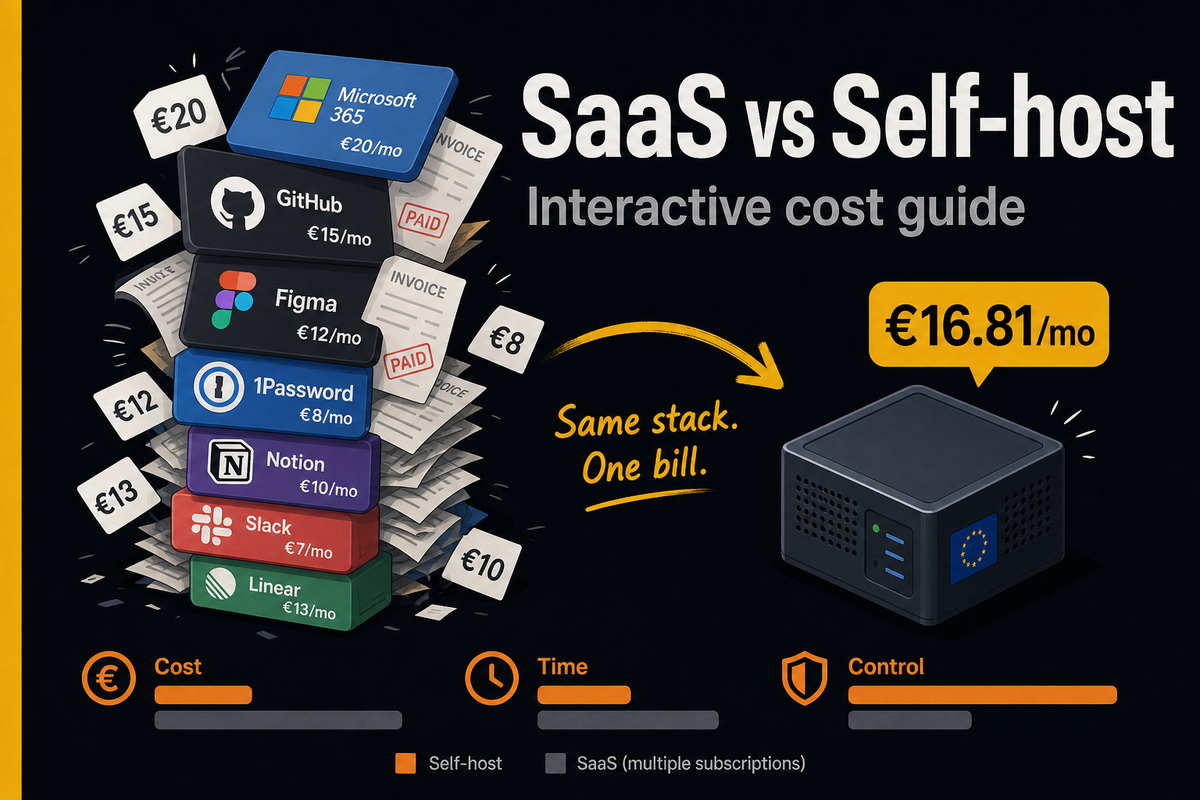
VPS Providers
Now that we have the requirements the server for our self-hosted stack need to fulfill, we can start to look for providers. While hosting the stack on your own hardware is of course technically possible and further increases control over your data for a startup that means excessive overhead and challenges with scaling. I would not recommend you to go that route if you don't have a really good reason for it, since it will increase maintenance tenfold and keep you from building your product.
However it is important to carefully consider the decision for a provider. As we host our stack completely with Docker containers only, migration between providers is relatively straightforward. Considering the current price, availability and future costs when scaling is recommended. Nevertheless not only the price plays an important role when deciding, ultimately you must trust the company with your data.
US providers come with the additional caveat, that under the CLOUD act your data will be accessible to American authorities [[12]]. This is true independent of, if you make a contract with a foreign entity that belongs to an American firm, and also independent of the server location you choose. Also GDPR will not protect you. You need to draw your own conclusions, but for our startup this meant we only considered EU providers and I will also only list EU providers in this article.
Here is a list of european vendors and their available plans for a shared VPS hosted within the EU that satisfies the requirements for our stack serving 2-3 users:
| Vendor | Plan | Specs | €/mo |
|---|---|---|---|
| Contabo | VPS 12[[13]] | 48 GB / 400 GB | 21.25 |
| Scaleway | Start-2-L[[14]] | 32 GB / 500 GB | 22.99 |
| netcup | VPS 4000[[15]] | 32 GB / 512 GB | 38.12 |
| Hetzner | CX53[[16]] | 32 GB / 320 GB | 29.99 |
Prices excl. VAT (retrieved 28 September 2026)
Cost Comparison: SaaS vs. Self Hosting
If you are already someone who is interested in controlling their own data you might be already convinced. In the case you are just a startup founder trying to create a business and are neither a technical enthusiast nor a privacy advocate you might just think this all sounds like a lot of headache with no benefit. After all, SaaS solutions are so popular for a reason, they are dead simple. You pay you get the service, no configuring no troubleshooting. It just works.
I already said it will take some late nights to set this stack up, and if you are new to this it probably will not work on the first try. But since I am being honest with you, it is also not that hard if you are a bit technical and like to learn new stuff. Now that our stack is running, I spend maybe 30 min every two weeks for updating and that's about it. It is that simple.
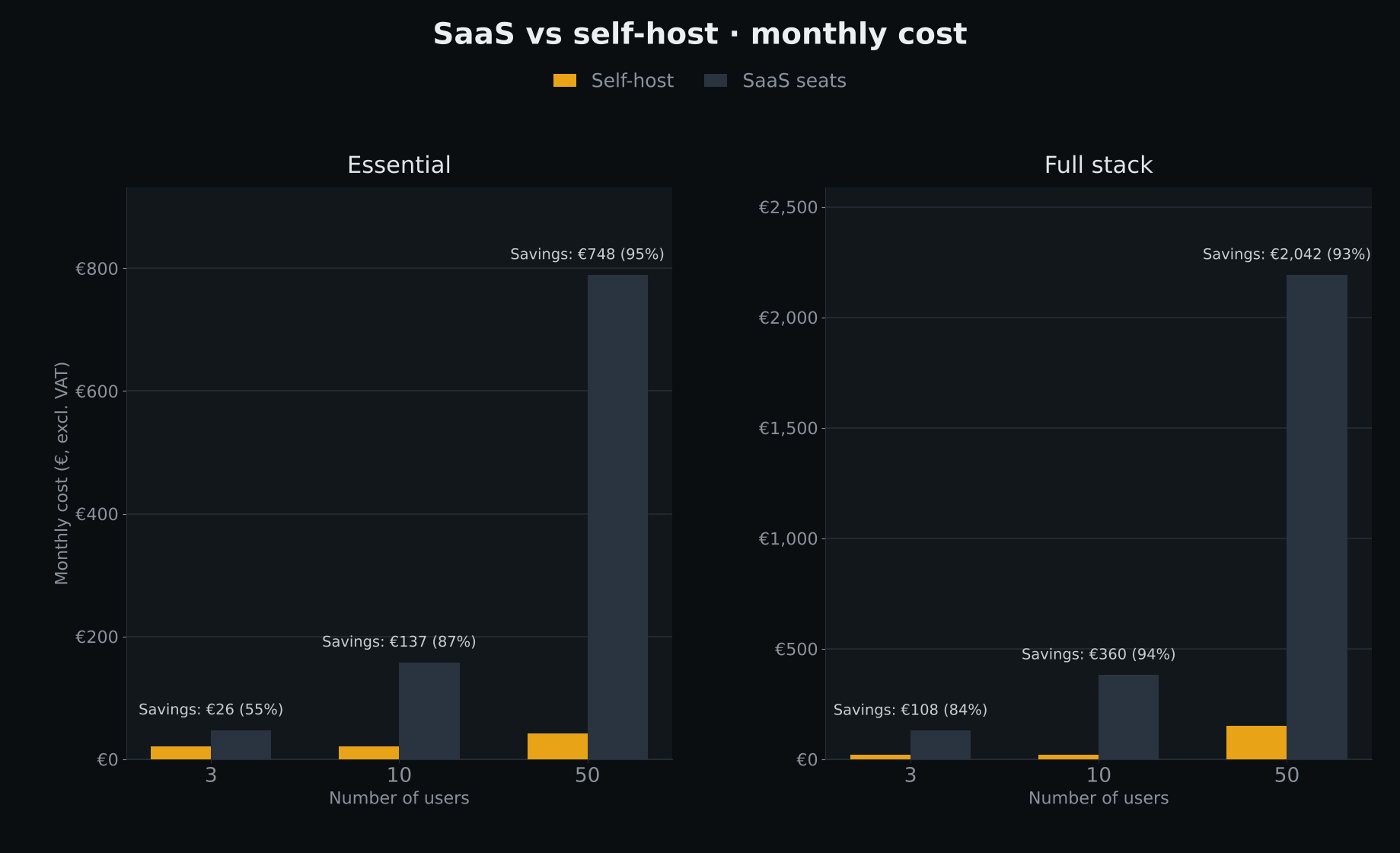
If you made it so far in the article you are probably already interested, so let me drive this home. You will save money from the first moment you run this stack and when your team is growing your monthly savings will increase exponentially!
The numbers are based on the following comparison. Included are the most common SaaS services used by startups, which together give a comparable functionality as our stack.
| Self-host | SaaS stand-in | Rate (€) |
|---|---|---|
| Nextcloud AIO | Microsoft 365 Business Standard | €12.28 / user / mo[[17]] |
| GitLab CE | GitHub Team | €3.51 / user / mo[[18]] |
| Penpot | Figma Professional (Full seat) | €14.03 / user / mo[[19]] |
| Vaultwarden | 1Password Teams Starter / Business | €21.88 / mo flat (≤10 users); +€4.38 / extra user up to 20; else €7.88 / user / mo[[20]] |
| Authelia | Microsoft Entra ID P1 | €6.14 / user / mo[[21]] |
Conclusion
It is not just a preference for data control driven by tech enthusiasm which makes me recommend to self-host your startup stack. Even though I admit a good portion of tech enthusiasm makes the idea even more compelling. But foremost it is a economic recommendation. With an important caveat and just to be clear:
Apart from the day 1 savings, which will scale in proportion with your company, it is also a means to secure your IP. Taking the risk of you labeling me a tinfoil-hat, I personally don't want to trust just any company with the core value of our company. I would also even argue, that it can prohibit you from being creative and innovative when you follow the most well trotten and restricting workflows someone else shaped for your team. Someone who might be also a competitor and who holds now the keys to your data, including metadata on how your team operates and the output of their work. I lay out my full argument for controlling your infrastructure in The Self-Hosted Manifesto.
To make it short, if you have some basic technical abilities with servers, I barely see any compelling reasons to not self-host. There might be things I overlook though. Please let me know in the comments, I would be super happy to learn a different perspective. Otherwise I can just say try it, spin up a VPS and Nextcloud AIO and see if it works for you. And don't forget to have fun as well.
In the next article, we take a look at Docker for Founders. Every tool in the stack above runs in a Docker container. The technology makes hosting portable and easy to manage, so stay tuned for an introduction to the topic.
[[1]]: Portainer requirement. https://github.com/portainer/portainer/issues/5406
[[2]]: Nextcloud requirements (line 606). https://github.com/nextcloud/all-in-one/blob/12ec7dca01ce0babbc1010f38a722c8075f5331b/php/templates/containers.twig#L606
[[3]]: Traefik requirements: https://community.traefik.io/t/traefik-ram-and-cpu-recommendations-for-k8s/2756/2
[[4]]: Mailcow hosting guide. https://contabo.com/blog/how-to-setup-your-own-mailserver-with-mailcow/
[[5]]: Mailcow requirements: https://docs.mailcow.email/getstarted/prerequisite-system/
[[6]]: Gitlab requirements: https://docs.gitlab.com/install/requirements/
[[7]]: Gitlab Runner configuration: https://docs.gitlab.com/runner/configuration/advanced-configuration/
[[8]]: Penpot deployment guide: https://railway.com/deploy/penpot-open-source-figma-alternative--penpot-figma-alternative
[[9]]: Vaultwarden requirements: https://vaultwarden.discourse.group/t/hardware-requirements/3273
[[10]]: Uptime Kuma deployment guide: https://localtonet.com/blog/how-to-self-host-uptime-kuma
[[11]]: RAM usage Authelia: https://github.com/authelia/authelia/discussions/5939
[[12]]: US CLOUD Act explained: https://wire.com/en/blog/cloud-act-eu-data-sovereignty
[[13]]: Contabo Cloud VPS (VPS 12 / VPS 18): https://contabo.com/en/vps/
[[14]]: Scaleway Dedibox pricing (Start / Pro / Core): https://www.scaleway.com/en/pricing/dedibox/
[[15]]: netcup VPS (VPS 4000 / 8000: https://www.netcup.com/en/server/vps
[[16]]: Hetzner Cloud CX53: https://www.hetzner.com/cloud/cost-optimized/
[[17]]: Microsoft 365 Business Standard pricing: https://www.microsoft.com/en-us/microsoft-365/business/microsoft-365-business-standard
[[18]]: GitHub Pricing: https://github.com/pricing
[[19]]: Figma Pricing: https://www.figma.com/pricing/
[[20]]: 1Password Pricing: https://1password.com/pricing
[[21]]: Microsoft Entra ID Pricing: https://www.microsoft.com/en-us/security/business/microsoft-entra-pricing